Auto Workshop Management Software: Features Checklist
A checklist of the features an auto workshop or garage management system needs — job cards, vehicle history, parts inventory, billing and reminders.
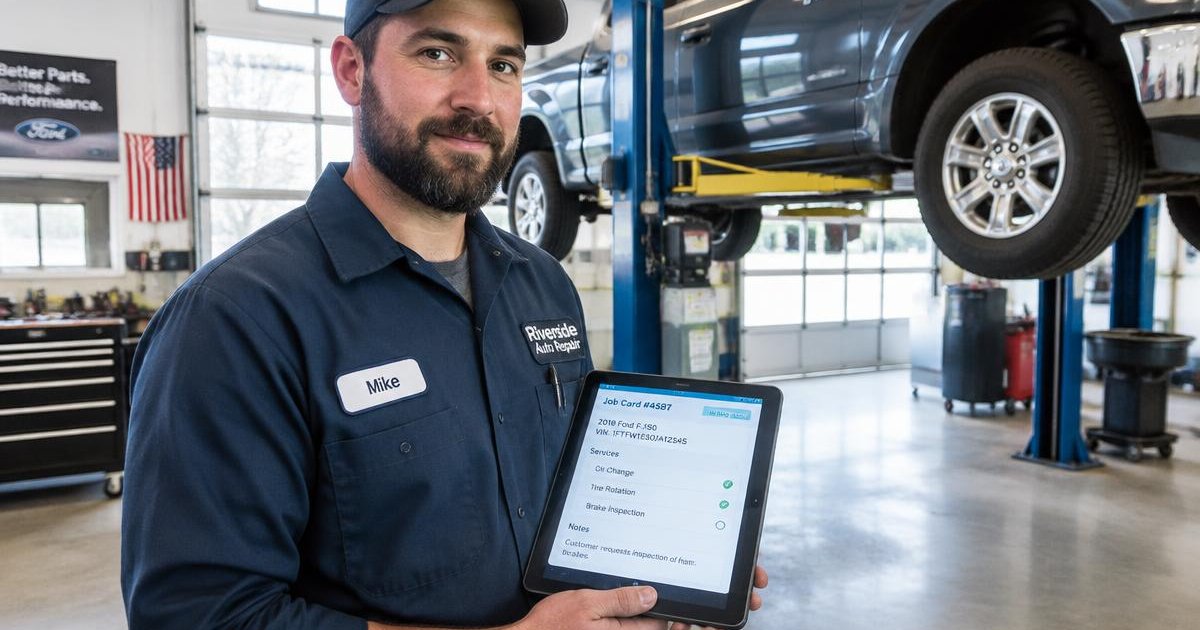
Front desk and job cards
Create a job card in under a minute with vehicle number, odometer reading, complaints and estimate. Customers should get an estimate they can approve before work starts.
Vehicle and customer history
Every past repair, part and invoice stored against the vehicle number, so advisors can see what was done last time and suggest due services.
Parts inventory
Parts issued to a job card are deducted from stock automatically. Low-stock alerts, supplier purchases and part-wise margins keep the store under control.
Billing and payments
Labour and parts on one invoice, taxes applied automatically, partial payments and customer ledgers for fleet or corporate accounts.
Mechanics and productivity
Assign jobs to mechanics, track time per job and see which bays and staff produce the most revenue.
Reminders and reports
Automatic service-due reminders bring customers back. Daily reports show jobs completed, revenue, parts sold and outstanding balances.
Frequently asked questions
What is the difference between workshop software and generic billing software?
+
Workshop software ties every invoice to a vehicle and job card, so you keep full service history and can track parts and labour per job. Generic billing only records the sale.
Can workshop software send service reminders?
+
Yes. Reminders can be scheduled by date or mileage and sent by SMS or WhatsApp, depending on your setup.
Will it work for multiple branches?
+
Yes. Multi-branch setups share customer and vehicle history while keeping stock and reports separate per branch.